> ## Documentation Index
> Fetch the complete documentation index at: https://statsig-4b2ff144-mintlify-add-local-eval-country-note-96362.mintlify.site/llms.txt
> Use this file to discover all available pages before exploring further.
# Precomputed Metrics
> Import existing metrics from cloud data warehouses like Snowflake, BigQuery, and Redshift for experiment analysis.
## Importing Precomputed Metrics
### Importing Precomputing Metrics from your Data Warehouse
Statsig integrates natively with cloud data warehouses such as [Snowflake](/data-warehouse-ingestion/snowflake), [BigQuery](/data-warehouse-ingestion/bigquery), [Redshift](/data-warehouse-ingestion/redshift) to ingest any of your existing metrics for computing experiment results. See [Data Warehouse Ingestion](/data-warehouse-ingestion/introduction) to get started.
## Debugging Precomputed Metrics
Statsig creates a metric detail page for all precomputed metrics that you import from your data warehouse. These metric detail pages take a few hours to generate post-import or ingestion. The fastest way to start seeing and debugging your precomputed metrics is via the **Metrics Logstream** in the **Metrics Catalog** tab within **Metrics**.
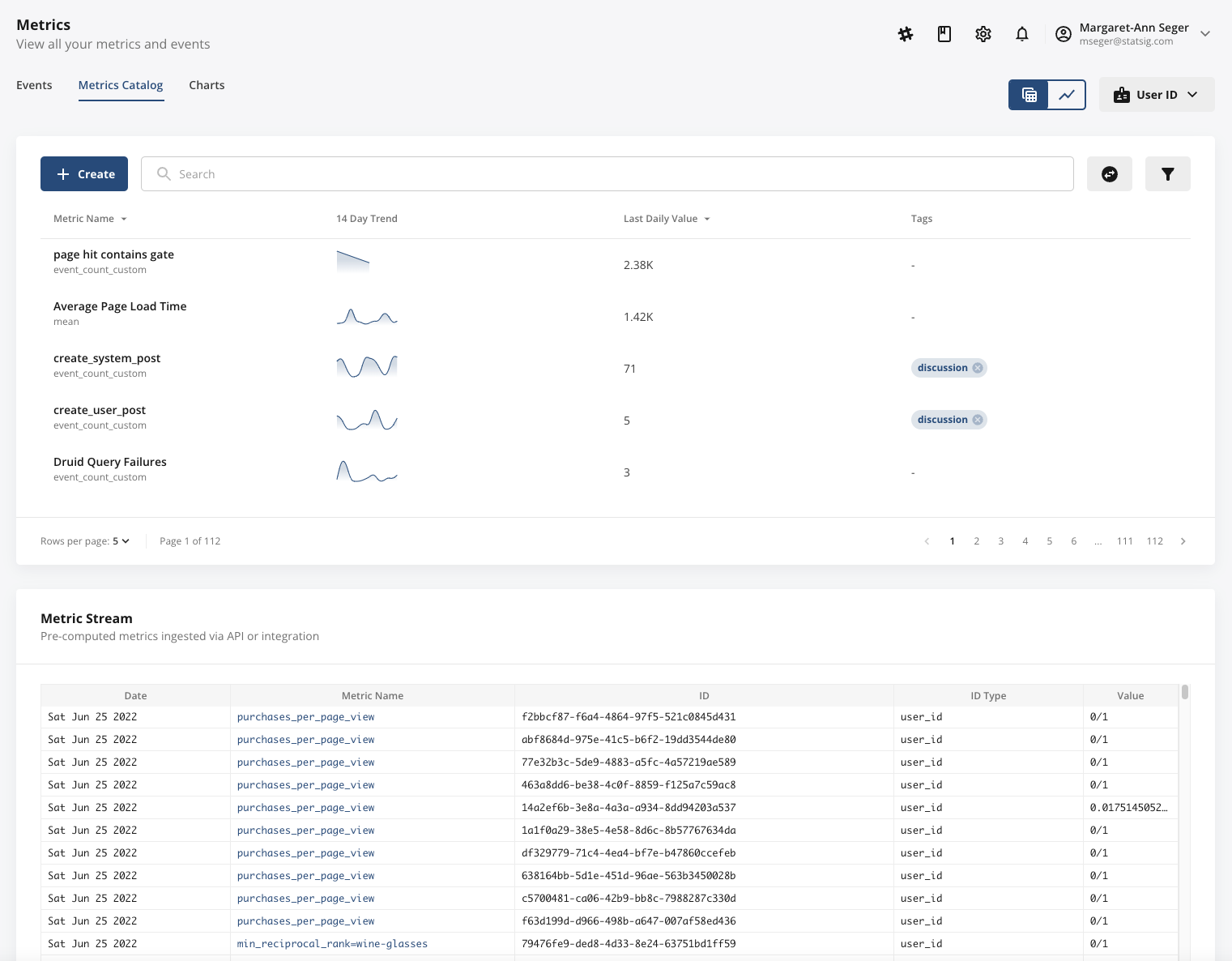 The **Metrics Stream** will surface all ingested, precomputed metrics in real-time as they are ingested, enabling you to check metric name, metric value, unit identifier, ID type, and ingestion date.
**Tip**: Customers can trip up on ensuring that their precomputed metrics have the right ID type. Pay extra attention to this column!
Finally, the **Metrics Stream** only appears if you're actively ingesting precomputed metrics. If you're not seeing it appear at the bottom of your **Metrics Catalog**, Statsig likely is not receiving your precomputed metrics due to a connection issue or an invalid schema.
The **Metrics Stream** will surface all ingested, precomputed metrics in real-time as they are ingested, enabling you to check metric name, metric value, unit identifier, ID type, and ingestion date.
**Tip**: Customers can trip up on ensuring that their precomputed metrics have the right ID type. Pay extra attention to this column!
Finally, the **Metrics Stream** only appears if you're actively ingesting precomputed metrics. If you're not seeing it appear at the bottom of your **Metrics Catalog**, Statsig likely is not receiving your precomputed metrics due to a connection issue or an invalid schema.