> ## Documentation Index
> Fetch the complete documentation index at: https://statsig-4b2ff144-mintlify-add-local-eval-country-note-96362.mintlify.site/llms.txt
> Use this file to discover all available pages before exploring further.
# Jira
## Overview
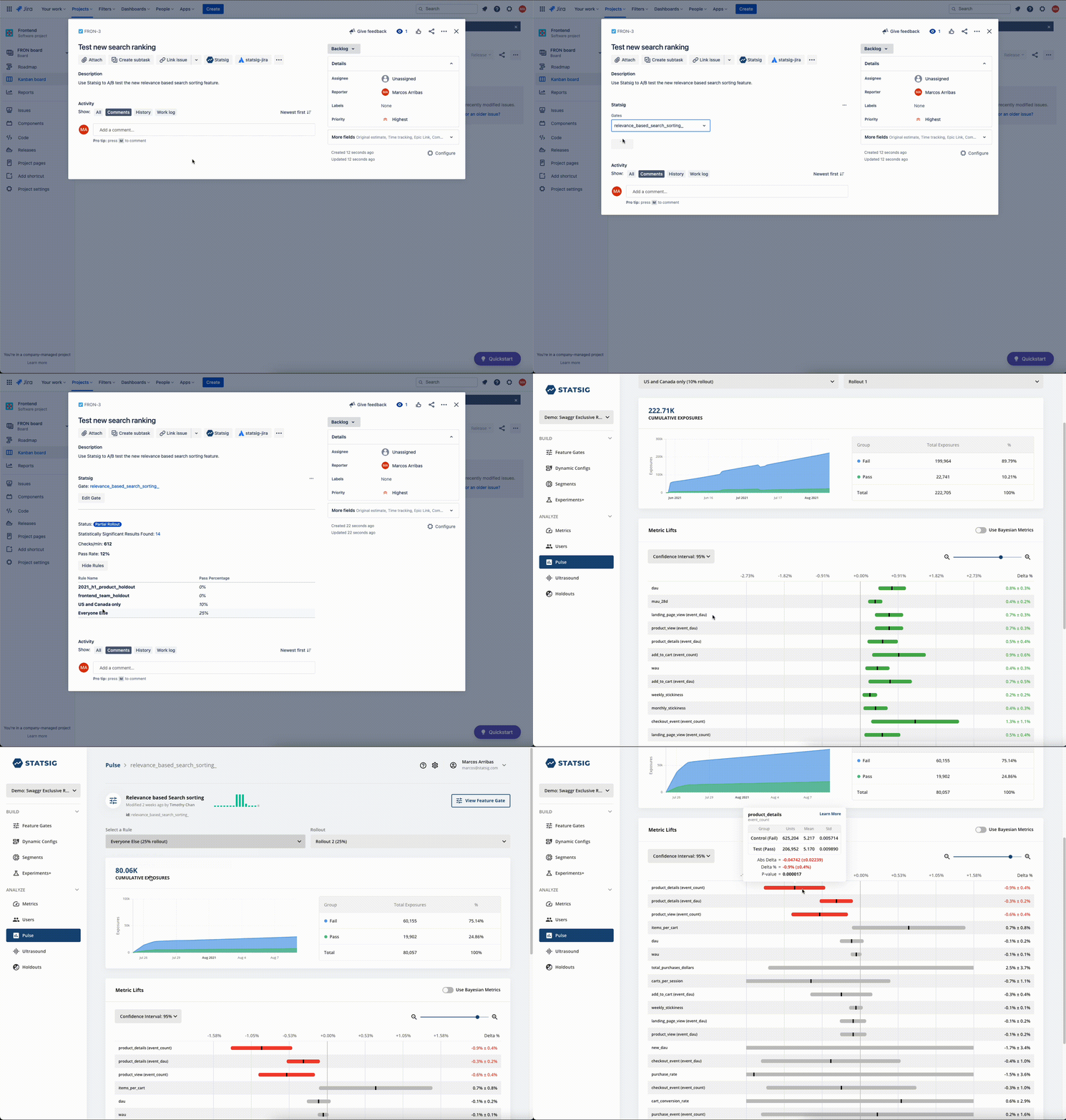
The Statsig for Jira app allows you to bring insights from your Statsig [Feature Gates](/feature-flags/overview) into your Jira project. Statsig feature flags can be associated with your Jira issues to track rollout status and A/B test results directly in Jira.
 ## Configuration
Get a [Server Secret Key from the statsig console](https://console.statsig.com/api_keys) and then go to the [Atlassian Marketplace](https://marketplace.atlassian.com/apps/1225708/statsig-for-jira?hosting=cloud\&tab=overview) to install the Statsig app for Jira.
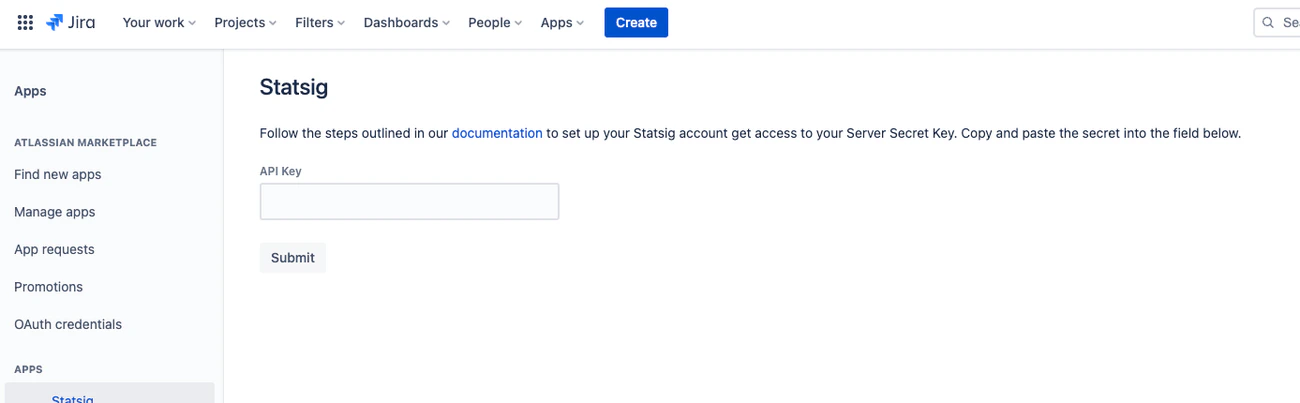
To configure the app, go to Apps > Statsig > Allow Access. Then, enter your api key:
## Configuration
Get a [Server Secret Key from the statsig console](https://console.statsig.com/api_keys) and then go to the [Atlassian Marketplace](https://marketplace.atlassian.com/apps/1225708/statsig-for-jira?hosting=cloud\&tab=overview) to install the Statsig app for Jira.
To configure the app, go to Apps > Statsig > Allow Access. Then, enter your api key: