> ## Documentation Index
> Fetch the complete documentation index at: https://statsig-4b2ff144-mintlify-add-local-eval-country-note-96362.mintlify.site/llms.txt
> Use this file to discover all available pages before exploring further.
# Capturing Metrics
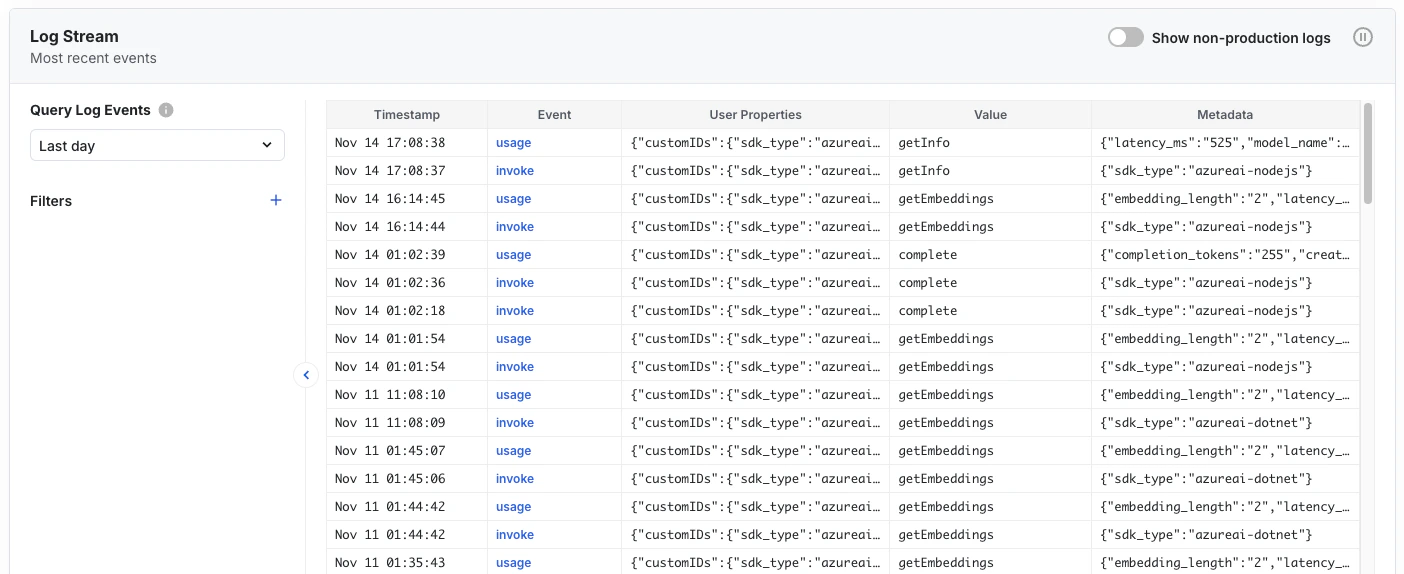
Azure AI SDK automatically captures relevant invocation and usage metrics from each API call and logs them to Statsig. You can see these events streaming in real-time in the console at: [https://console.statsig.com/metrics/events](https://console.statsig.com/metrics/events).
 ### Metrics captured
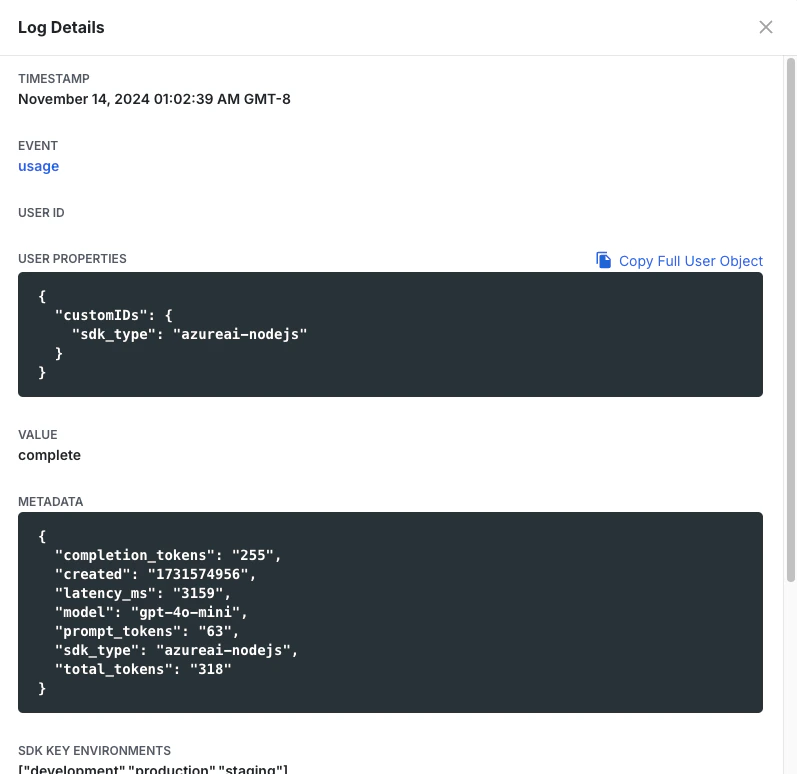
Completion invocations capture the following metrics automatically: completion token length, prompt token length, latency, model name, total token length.
For example, a completion API call results in a usage log that looks like this:
### Metrics captured
Completion invocations capture the following metrics automatically: completion token length, prompt token length, latency, model name, total token length.
For example, a completion API call results in a usage log that looks like this:
 These could be used to compare multiple deployments with each other, and also to run experiments against different sets of parameters, aiding in optimization of cost, responsiveness, user experience, etc.